
Unlock Streaming & Fitness Apps on Your Peloton
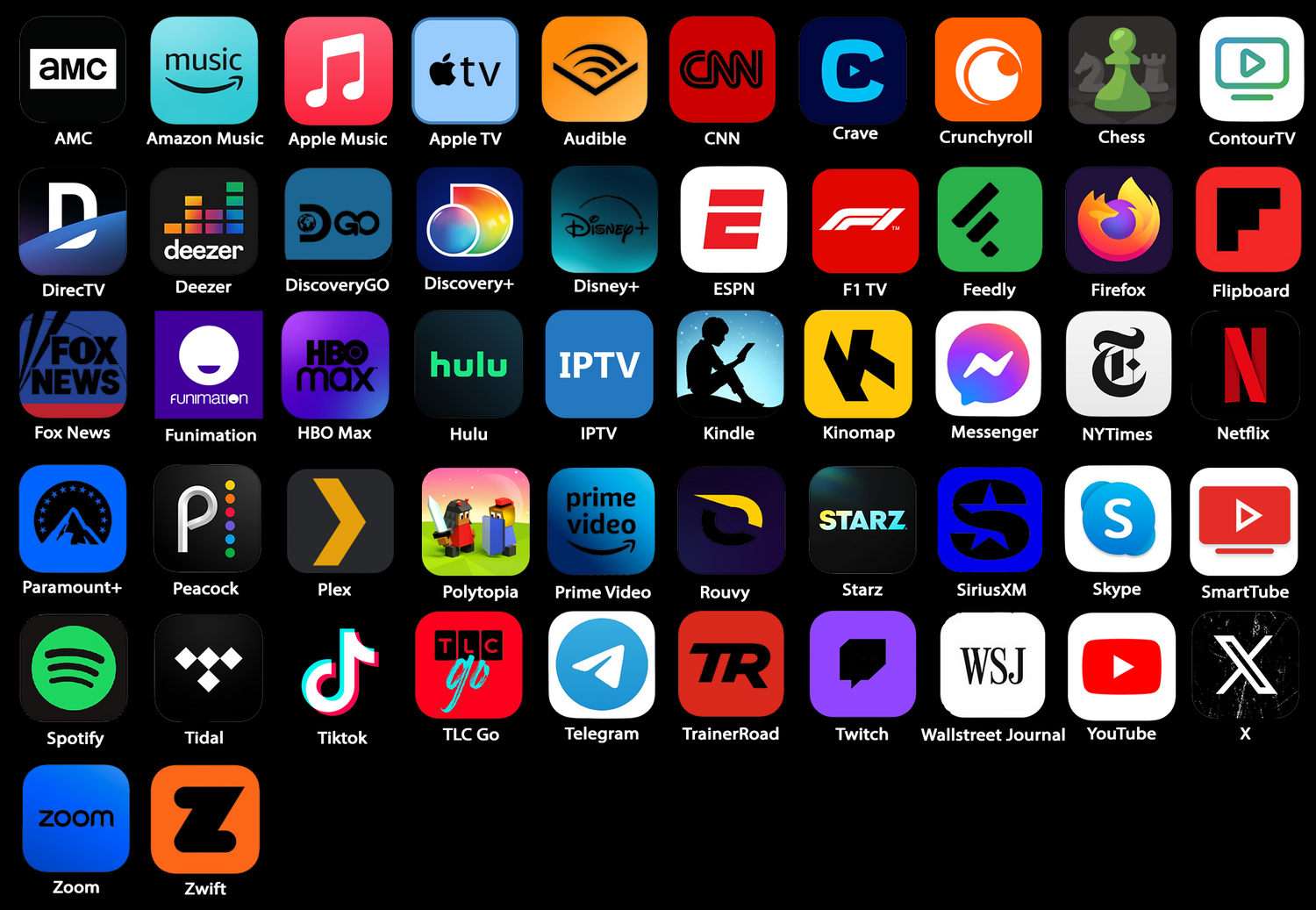
FitSwitch unlocks the full potential of your Peloton screen, giving you access to 40+ apps directly on your bike. Stream your favorite shows on Netflix, Disney+, and Prime Video, listen to music on Spotify, or take your training further with Zwift and TrainerRoad.
Training & Fitness Apps with ERG Mode
FitSwitch goes beyond streaming. Train with apps like Zwift, TrainerRoad, and Rouvy while using your Peloton’s built-in resistance system. FitSwitch supports ERG mode, which automatically adjusts your Peloton’s resistance to match your workout targets—no manual adjustments needed. Combined with FTMS and ANT+ connectivity, your Peloton becomes a fully connected smart trainer.
Popular App Guides
Compatible Apps
Collapsible content
All 55 Supported Apps
Streaming & Video (19)
AMC · Apple TV · Crunchyroll · DIRECTV · Discovery GO · discovery+ · Disney+ · ESPN · F1 TV · HBO Max · Hulu · Netflix · Paramount+ · Peacock · Plex · Prime Video · STARZ · TLC GO · YouTube
Music & Audio (8)
Amazon Music · Apple Music · Audible · Deezer · Pandora · SiriusXM · Spotify · TIDAL
Fitness & Cycling (5)
Kinomap · ROUVY · TPVirtual (indieVelo) · TrainerRoad · Zwift
News & Reading (7)
CNN · Feedly · Flipboard · Fox News · Kindle · NaturalReader · Wall Street Journal
Social & Messaging (7)
Messenger · Reddit · Telegram · TikTok · Twitch · X · Zoom
Games (3)
Chess · Moonlight (game streaming) · Polytopia
Utility & System (6)
Blackr · Contour TV · Firefox · IPTV · microG Services · SmartTube
We add new apps regularly based on customer requests. If there's something you'd like on your Peloton, ask using the form below and we'll test whether it runs.
Access More Apps via Firefox
Many additional services can still be accessed through the Firefox browser included with FitSwitch. Services like YouTube, Hulu, and HBO Max work in Firefox—some require Desktop Mode to be enabled.
To enable Desktop Mode: Open Firefox → tap the three dots (top right) → tap Desktop site.
Collapsible content
View Full List
- A&E
- AMC Theatres
- AcornTV
- AppleTV
- BKOOL
- BritBox
- CNBC
- Chrome
- Curiosity Stream
- Equinox+
- Gmail
- Google News
- HBO Max
- History
- Hulu
- IPTV Stream Player
- MLB
- Microsoft Teams
- NBA
- Opera
- Paramount+
- Plex
- Redbox
- SiriusXM
- Smart News
- Smart Players Lite
- SoundCloud
- Spectrum
- Strava
- Tubi
- Tumblr
- Twitch
- YouTube Music
- iFit
- iHeartRadio
App Recommendations
- Choosing a selection results in a full page refresh.